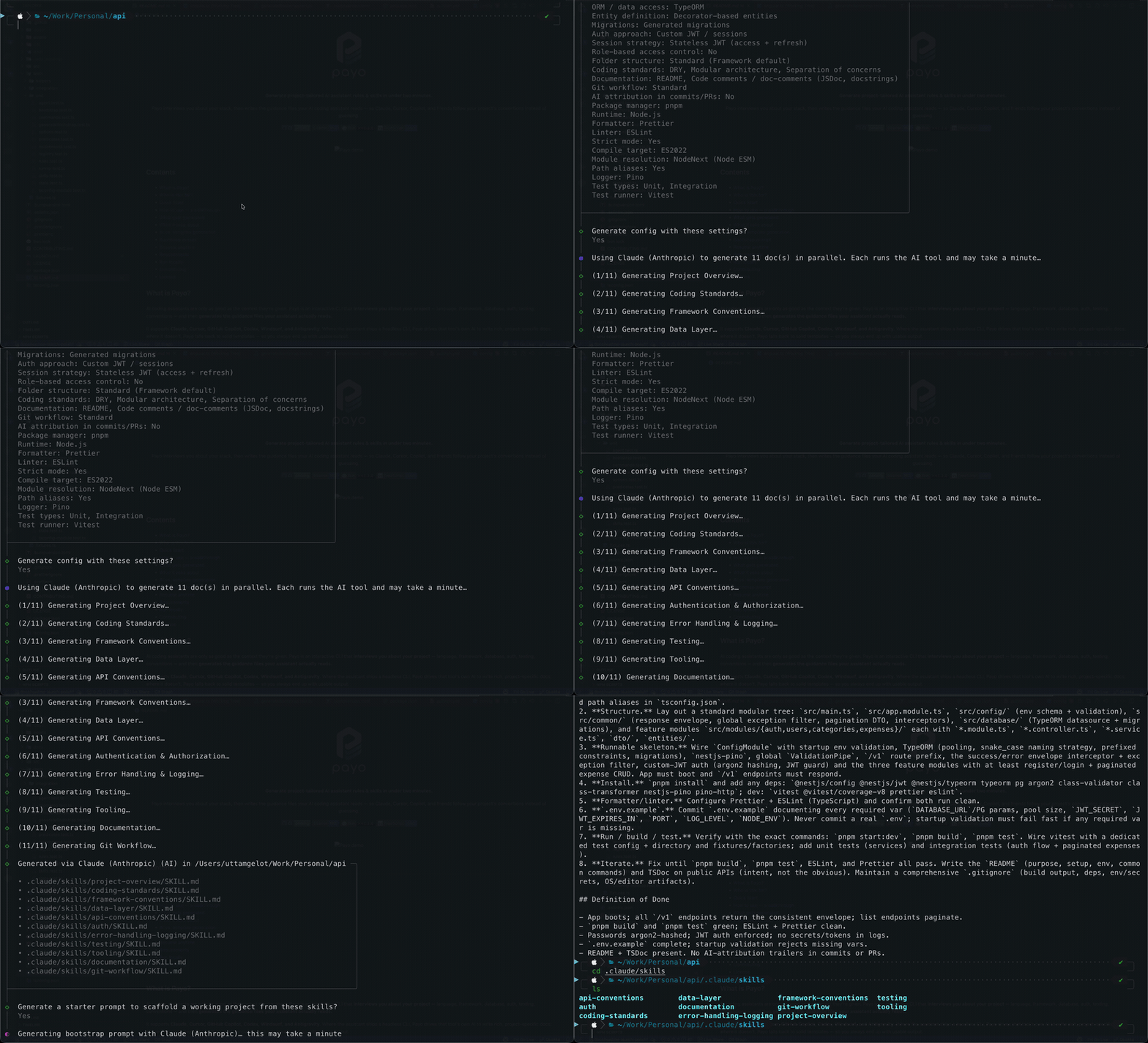
One questionnaire, every tool's config
AI assistants are only as good as the context they're given. Payo interviews you about your stack, then writes the files each assistant actually reads — a CLAUDE.md generator, cursor rules generator, Copilot instructions generator, and AGENTS.md generator in one command.
.claude/skills/
.cursor/rules/
.agents/skills/
Knows your stack, not just generic advice
Payo understands 25 frameworks, 24 ORMs, and 4 databases across four languages — and tailors its questions and the generated rules to whatever you pick. Choose Next.js and you get Next.js follow-ups; choose Postgres and you're asked about migrations and naming.
Stop re-explaining your project
Every session starts cold. Your assistant doesn't know you use Drizzle over Prisma, that
handlers live in src/routes, or that commits follow Conventional Commits — so
you re-explain it chat after chat, and still get code that ignores half of it.
Writing the guidance by hand is tedious and different for every tool, so most people never do it. Payo writes it in about two minutes, in each tool's native format — so your assistant follows your conventions from the first prompt.
How it works
- Run it in your repo. npx @uge/payo — no install, no signup, no config.
- Answer a short questionnaire. Questions adapt to your stack; most have sensible defaults.
- Get tailored guidance files. Rich AI-written docs when the tool's CLI is present, solid templates otherwise.
- Optional bootstrap prompt. A paste-ready prompt to scaffold a runnable project honoring the rules.
Understands 25 frameworks, 24 ORMs, and 4 databases across TypeScript/JavaScript, Python, Go, and Rust.
Frequently asked questions
What is a CLAUDE.md file?
A guidance file Claude and Claude Code read to learn your project's stack, conventions, and rules — so the assistant follows them instead of guessing. Payo generates one tailored to your project automatically.
How do I generate a .cursorrules file?
Run npx @uge/payo, answer a short questionnaire, and Payo writes .cursorrules (plus .cursor/rules/) tailored to your framework, database, testing, and git conventions.
Do I need Bun to run Payo?
No. Running Payo only needs Node.js 18+ — npx @uge/payo runs the published Node-targeted binary. Bun is only needed to build from source.
Which AI coding tools does Payo support?
Claude, Cursor, GitHub Copilot, Codex, Windsurf, and Antigravity — each in its own native format and location.
Is Payo free and open source?
Yes. MIT-licensed and free. Source on GitHub.