One questionnaire, one universal skill set
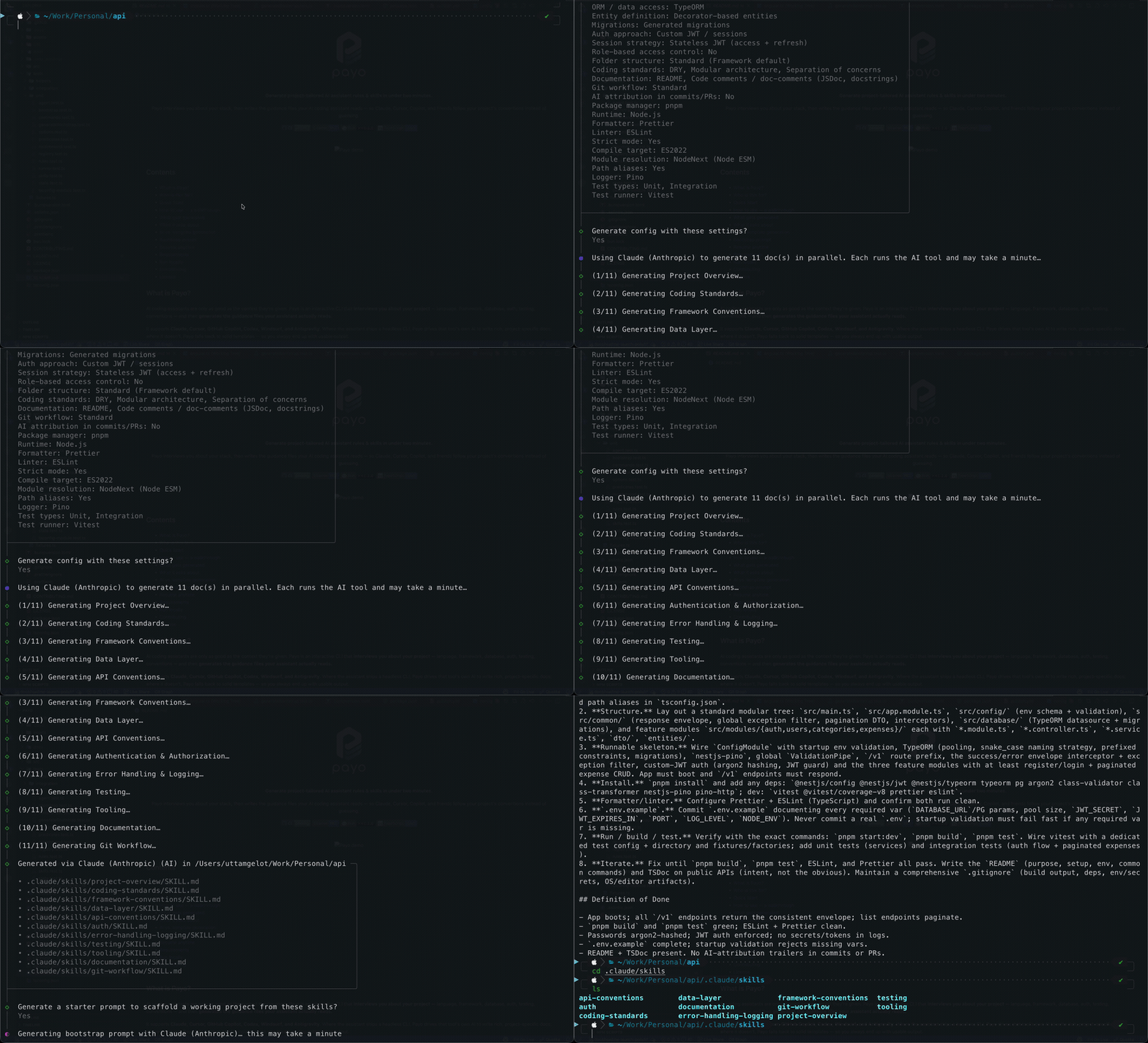
AI assistants are only as good as the context they're given. Payo interviews you about your stack, then writes one universal layout — an AGENTS.md entrypoint plus Agent Skills in .agents/skills/ — that every skills-compatible tool reads. Claude Code and Windsurf get thin shims; nothing is duplicated. Before anything is written, Payo shows you the exact skill list it computed — every one preselected — so you can uncheck what you don't want. The AGENTS.md entrypoint tells the assistant to follow those skills — and you can opt into a change-audit skill that checks your pending change against them before you commit or push, plus a pr-review skill that reviews your changes, a branch or a PR when you ask.
.claude/skills/
.agents/skills/
.agents/skills/
.agents/skills/
.agents/skills/
.windsurf/skills/
.agents/skills/
Knows your stack, not just generic advice
Payo understands 30 frameworks, 29 ORMs, and 17 databases across eight languages — backed by a bank of 200+ stack-tailored questions it draws from, asking only the handful your stack needs. Choose Next.js and you get Next.js follow-ups; choose Postgres and you're asked about migrations and naming; pick Tailwind or Clerk and you get provider-specific conventions in the generated rules.
Not a skills pack — a skills generator
Curated collections, awesome-lists, starter rule packs: they all hand you the same markdown everyone else gets, written for a generic project and left for you to adapt. Payo ships no skill content. It writes yours, from your repo.
claude, codex, cursor-agent, copilot, agy — over your answers, several skills at a time. Authored for this project, on this machine, under your account.data-layer skill — not a stub, not an "N/A" section, no directory. Same for auth, state, API, logging, testing. A pack gives you all of them and expects you to delete two-thirds. Payo also shows you the computed list before writing anything, so you can drop any skill yourself.pnpm exec eslint . — not npx, not <your lint command>. cargo test, php artisan migrate, bin/rails db:migrate, your real package dirs. Guidance for tools outside your stack is forbidden outright.lefthook, husky, pre-commit or plain .githooks/ — that hard-blocks the push, plus a native pre-tool gate — planned together so no check runs twice.SKILL.md per topic in .agents/skills/, with Claude Code and Windsurf pointed at it by symlink. Nothing to edit twice, nothing to drift — unlike a multi-format rules pack..payo/. No backend, no account, no telemetry — with no agent CLI installed, nothing leaves your machine.Works on existing projects too
Payo isn't just for empty repos. Run it in an established codebase and it
reads what's already there — package.json, pyproject.toml,
go.mod, Cargo.toml, composer.json, *.csproj, pom.xml, build.gradle, Gemfile, lockfiles, tool configs, and your folder layout — to detect
your stack across TypeScript/JavaScript, Python, Go, Rust, PHP, C#, Java, and Ruby, then pre-fills the questionnaire.
Pick Detect everything and Payo treats your code, folder structure, and git history as the
source of truth — recording exactly what it finds (including your branch-naming and commit conventions) and
skipping anything it can't, with no question-by-question prompts. You land straight on the review screen and confirm.
Monorepos are detected too: it enumerates workspace members (pnpm, Cargo, go.work,
Maven / Gradle…) — including nested workspaces the root never declared, like a Cargo workspace under
services/ — reads each package's stack, and adds a Workspace Packages list plus monorepo conventions
to the generated guidance. Hybrid repos (a React frontend next to a Rust backend) are classified
as one full-stack project, with the extra languages listed alongside the dirs that carry them. The optional
AI pass also reads your README and project docs to fill gaps — never overriding what detection
found. You review a summary and tweak — no typing it all out.
Stop re-explaining your project
Every session starts cold. Your assistant doesn't know you use Drizzle over Prisma, that
handlers live in src/routes, or that commits follow Conventional Commits — so
you re-explain it chat after chat, and still get code that ignores half of it.
Writing the guidance by hand is tedious, so most people never do it. Payo writes it in minutes, in one universal layout every skills-compatible tool reads — so your assistant follows your conventions from the first prompt.
How it works
- Run it in your repo. payo — no signup, no config, no Node.js required.
- Answer a short questionnaire. Questions adapt to your stack; most have sensible defaults.
- Get tailored guidance files. Rich AI-written docs when the tool's CLI is present, solid templates otherwise.
- Optional bootstrap prompt. A paste-ready prompt to scaffold a runnable project honoring the rules.
Understands 30 frameworks, 29 ORMs, and 17 databases across TypeScript/JavaScript, Python, Go, Rust, PHP, C#, Java, and Ruby — from a bank of 200+ stack-tailored questions.
Frequently asked questions
What is a CLAUDE.md file?
A guidance file Claude and Claude Code read to learn your project's stack, conventions, and rules — so the assistant follows them instead of guessing. Payo generates one tailored to your project automatically.
How do I generate Cursor rules?
Install it with the one-liner above, run payo, answer a short questionnaire, and Payo writes universal Agent Skills in .agents/skills/ plus an AGENTS.md — which Cursor reads natively — tailored to your framework, database, testing, and git conventions.
Do I need Node.js or Bun to run Payo?
No. The one-line installer gives you a self-contained binary — no JavaScript runtime at all, which is what makes Payo usable from Rust, Go, C#, Python and Java projects. If you already have Node.js 20.12+ or Bun, the installer quietly uses the smaller npm package instead, and npx @uge/payo still works. Bun is only needed to build from source.
Which AI coding tools does Payo support?
Claude Code, Cursor, GitHub Copilot, Codex, Windsurf, Zed, Antigravity, and Gemini — all from one universal layout (AGENTS.md + .agents/skills/), with thin shims for Claude Code and Windsurf.
Does Payo work with Zed?
Yes. Zed reads .agents/skills/ and AGENTS.md natively, so the universal layout Payo writes needs no extra files — pick Zed in the questionnaire and the generated skills appear under @skill in the Agent Panel of a trusted worktree. One catch Payo warns you about: Zed reads only the first instruction file it finds, checking .rules, .cursorrules, .windsurfrules, .clinerules, .github/copilot-instructions.md and AGENT.md before AGENTS.md. If your repo still holds one of those, Zed reads it instead of what Payo generated — so Payo names the file at the end of a run and leaves it for you to remove or fold into AGENTS.md.
How is Payo different from a generic skills pack or rules template?
A pack hands every project the same markdown. Payo ships no skill content — it generates yours by running the agent CLI you already have installed against your answers and your repo. Skills you don't need are never created: no database means there is no data-layer skill at all, not a stub. The guidance names your real commands and paths (pnpm exec eslint ., not a placeholder), and on an existing project it infers your branch-naming and commit conventions from your local git history. Guardrails are backed by a git hook in the runner you pick — lefthook, husky, pre-commit or plain .githooks/ — and a native pre-tool gate, enforced rather than merely suggested — and it all lands in one canonical set of Agent Skills every skills-compatible tool reads.
Does Payo work on an existing project?
Yes. Payo detects your stack from what's already in the repo — manifests (package.json, pyproject.toml, go.mod, Cargo.toml, composer.json, *.csproj, pom.xml, build.gradle, Gemfile), lockfiles, tool configs, and folder layout — across TypeScript/JavaScript, Python, Go, Rust, PHP, C#, Java, and Ruby, then pre-fills the questionnaire. Choose Detect everything and it uses your code, folder structure, and git history as the source of truth — recording what it finds (branch-naming and commit conventions included) and skipping what it can't — so you just review the summary before generating.
Does Payo support monorepos?
Yes. Payo enumerates workspace members across pnpm, npm, yarn, lerna, Cargo, go.work, and Maven / Gradle — including nested workspaces the root never declared, like a Cargo workspace under services/ — detects each package's stack, and merges the real app stack with the root's shared tooling (package manager, runtime, formatter, test runner). Hybrid repos mixing a frontend and a backend language are classified as one full-stack project, with the extra languages listed. The generated AGENTS.md adds a Workspace Packages list naming each member and its stack, plus monorepo conventions.
Can Payo audit my changes against the project rules?
Yes, optionally. Opt into the change-audit skill during the questionnaire and pick when it runs — before every commit or before pushing. At that point your assistant reads the pending change, selects only the relevant project skills, and reports anything that conflicts. To make sure it fires, Payo also writes a native pre-tool hook for Claude, Cursor, Copilot, Codex, and Antigravity: it denies the git commit / git push, with an instruction back to the agent — a confirm prompt would just be approved and the audit skipped — and keeps the gate shut until the change-audit skill records a pass for that exact change. The receipt lives inside .git/, so it is never committed, and a later commit stales it and re-closes the gate. The generated AGENTS.md also tells the assistant to consult and follow the applicable skills before writing code.
Can Payo review my code or a pull request?
Yes, optionally. Opt into the pr-review skill and your assistant uses it when you ask for a review of your local changes, the current branch, or a PR / MR by number. Before it reads any code, it asks what to focus on (bugs, security, code quality, tests), which level of findings you want, and whether to check the change against your project skills. In Claude Code that is one AskUserQuestion prompt. It checks each finding against the surrounding code before reporting it, labels it the Conventional Comments way (issue (blocking):, suggestion:, nitpick:), and puts the worst first. Then you pick what happens next: stop, let it fix the issues in your own change, post one review on the PR / MR, or get inline comments to paste yourself. It fetches a PR with plain git into a temporary ref and never checks it out or runs its code. It needs gh or glab only to read a PR description or to post, and it never approves a PR or requests changes. Claude Code's /code-review and Codex's /review are built-in commands, so ask in words ("review PR 42") or type /pr-review.
Does Payo add safety guardrails for databases and secrets?
Yes. Payo asks whether the assistant must get explicit confirmation before running destructive SQL or database migrations, and whether to add a gitleaks secret-scan convention that scans for leaked secrets before every push. Beyond the skills, Payo writes the hooks that enforce them: a git hook — in the runner you choose: lefthook, husky, pre-commit or plain .githooks/ — that runs gitleaks, your test command, your linter and a format check at the stage you chose and hard-blocks the commit or push on failure, plus a native confirm prompt before destructive SQL for Claude, Cursor, Copilot, Codex, and Antigravity. Already have hooks — lefthook, husky, pre-commit, simple-git-hooks or a committed .githooks/? Payo reads what each stage already covers and leaves your setup untouched by default, asking before it merges anything. Payo writes the config and tells you the one command that activates it (lefthook install, npx husky, pre-commit install, git config core.hooksPath .githooks); it installs no tools itself. Both are recommended on and applied in Detect everything.
Is Payo free and open source?
Yes. MIT-licensed and free. Source on GitHub.